
In order to get your data imported into Beyond Software and be used for analysis, some basic guidelines will need to be followed to ensure your spreadsheet of data is set up in a way that we can interpret.
Column-oriented table vs row-oriented table
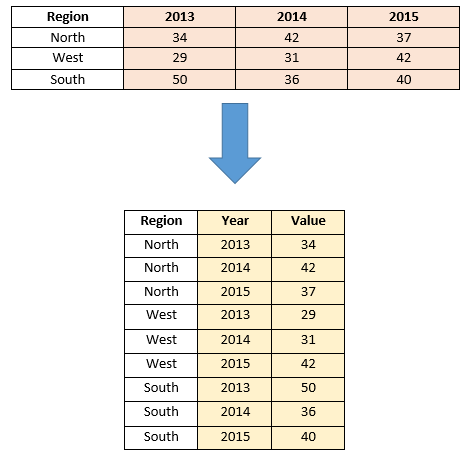
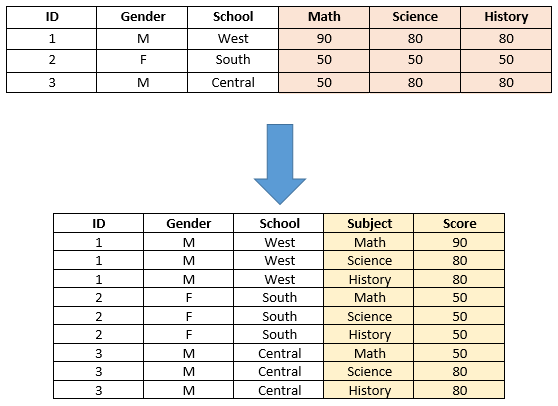
We require that data be imported in a row-oriented format for purposes of creating useful charts/graphs from that data. This means that column-oriented data will need to be changed into a row-oriented format. In a column-oriented table, the fields are stored in column headers. In a row-oriented table, the fields are stored in the row values.
Please see the two examples below for how to transform column-oriented data to row-oriented data.
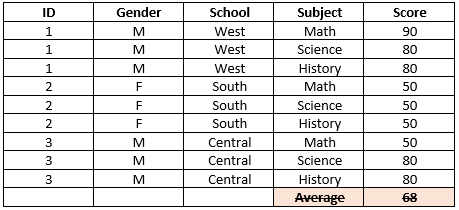
Remove pre-aggregated data
Aggregated data that is not part of the row oriented data table needs to be removed. (Note that it is acceptable to have cells in your raw data that are calculated values.)
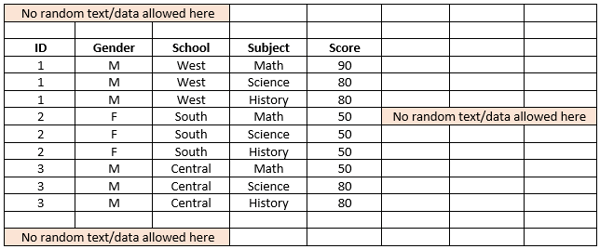
Remove text/data that is outside of your data table
Flatten multiple headers
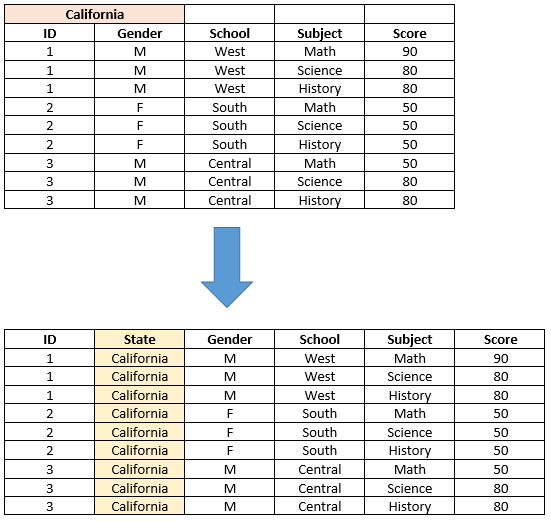
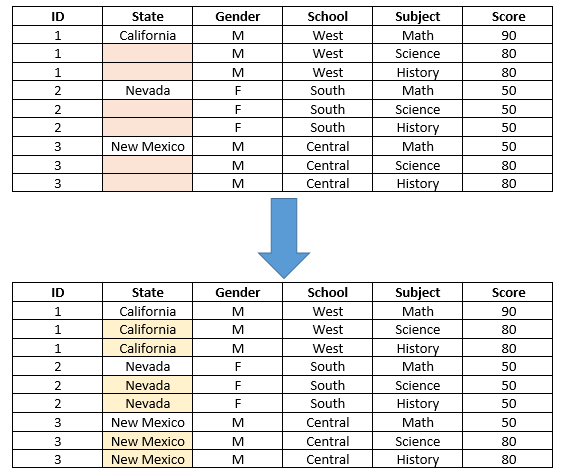
Fill in blank cells where necessary
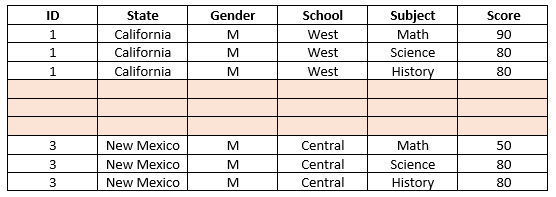
Remove blank rows
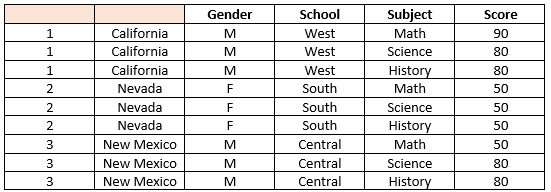
Add missing headers
Additional guidelines
- All data to be imported must exist in the first tab of the spreadsheet.
- Column headers are required.
- Data must exist in continuous rows and columns of related data. (i.e. you can’t start a new row of column headers down in the middle of your data)
- Empty cells are allowed and will be treated as null/blank.
- Merged cells are not supported.
- The supported file type is .XLSX
- The max file size is 15 MB.